Turn what you read into a model you can think with.
Kepes helps you model a complex subject, investigate what matters, and keep developing the same understanding as new evidence arrives.

READS WHAT YOU READ
- Books
- Markdown
- Word
- Webpages
- arXiv
- DOI
- Scans
- Folders
Information is abundant. Coherent understanding is not.
Reading more does not automatically produce a clearer view. Books, papers, webpages, and AI answers usually arrive one at a time. The ideas that matter remain scattered across tabs and documents.
Kepes makes the evolving model—not the document list—the primary thinking surface. It helps you see how a subject fits together, examine why you believe what you believe, and notice when new evidence changes the picture.
See the territory before choosing a path through it.
Give Kepes a question, book, paper, webpage, scan, or folder. It proposes the important concepts, claims, and relationships while keeping them connected to the source material. Review the proposal, reshape it, and keep only what belongs in your model.

Follow the question that matters now.
Read a concept in depth, ask AI from the exact context in view, narrow the workspace through a focused view or lens, and preserve an explanation as a reasoning trail. Move between these ways of investigating without losing the larger subject.

Let new material change the picture.
Add another paper, book, webpage, image, or note without beginning again. Kepes reconnects new material to concepts already in the workspace, makes disagreements visible, and grows the model only where something genuinely new appears.

Start with a source. Keep developing the view.
Follow one workspace from its first source to a model you can trace, focus, inspect, question, export, and keep extending.
Add a source or begin with a question
Bring in a PDF, document, folder, scan, webpage, DOI, or arXiv link—or simply begin by asking a question.


Let Kepes build the starting model
Kepes turns the material into concepts, claims, and relationships, each linked to the passages that support it.
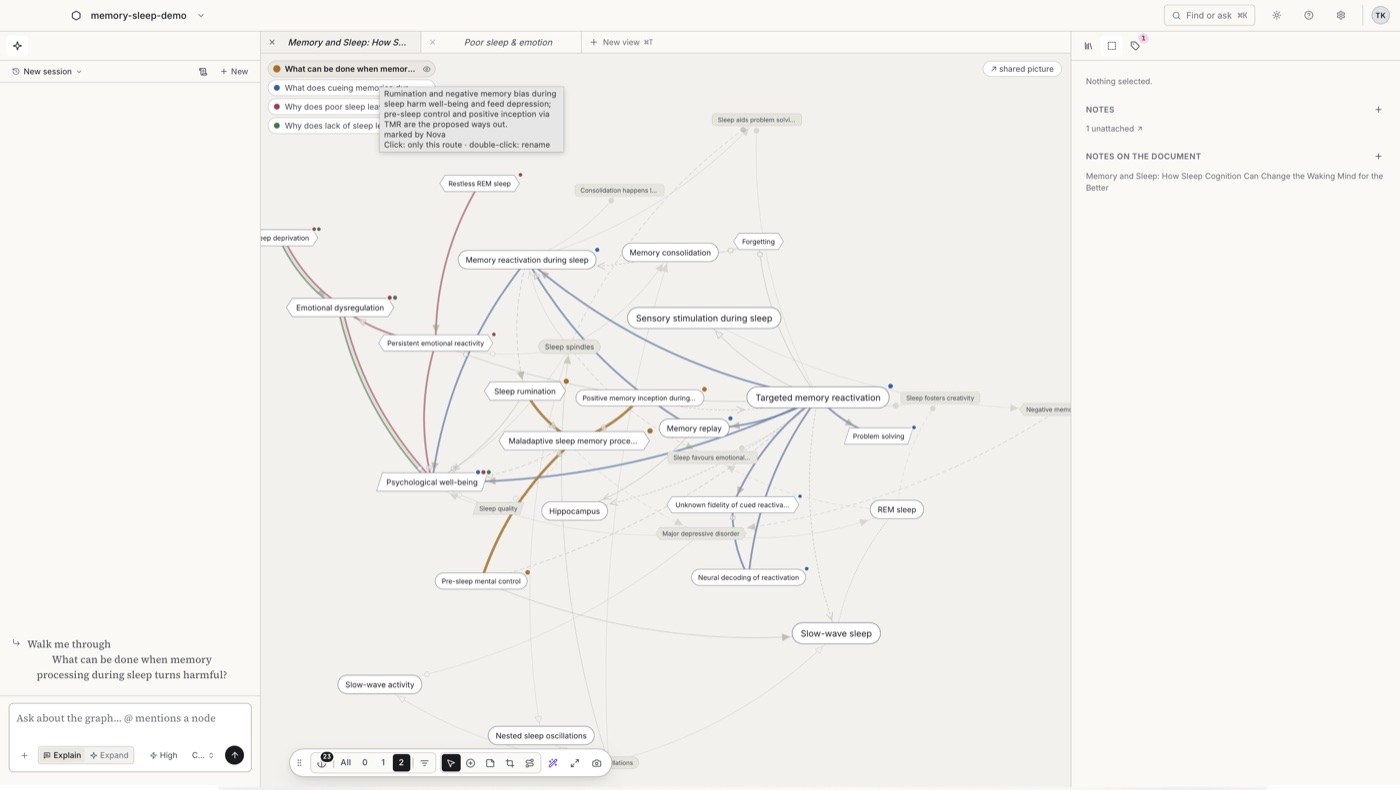
Follow a reasoning trail
A trail is an ordered path through concepts and relationships. Follow one to see how a conclusion is supported, step by step.
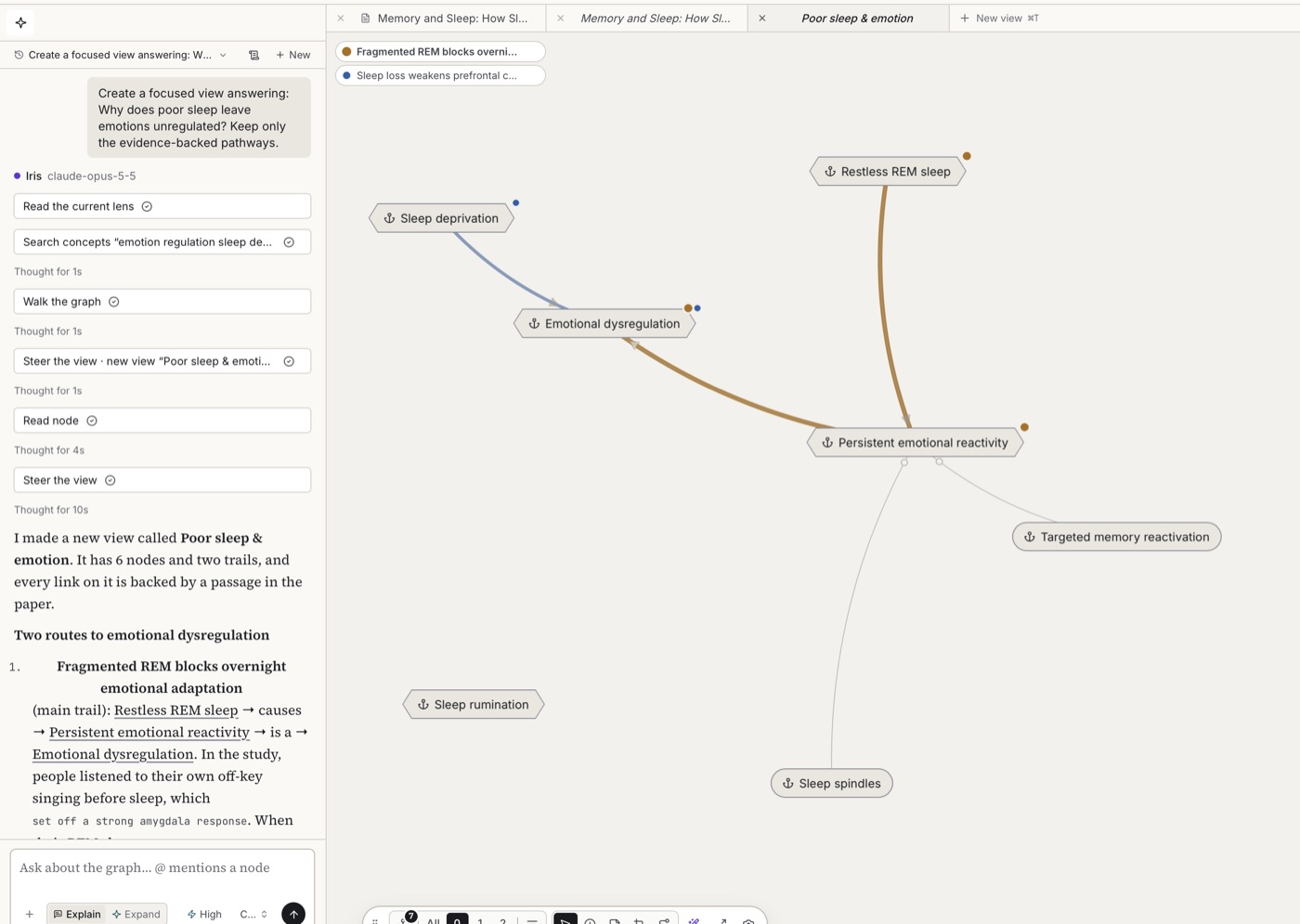
Focus the model around a question
Ask a question and keep only the relevant concepts and evidence. Save the focused view so you can return to it.


Open an idea and inspect its context
Select a concept to see its description, relationships, notes, and every place it appears across your sources.
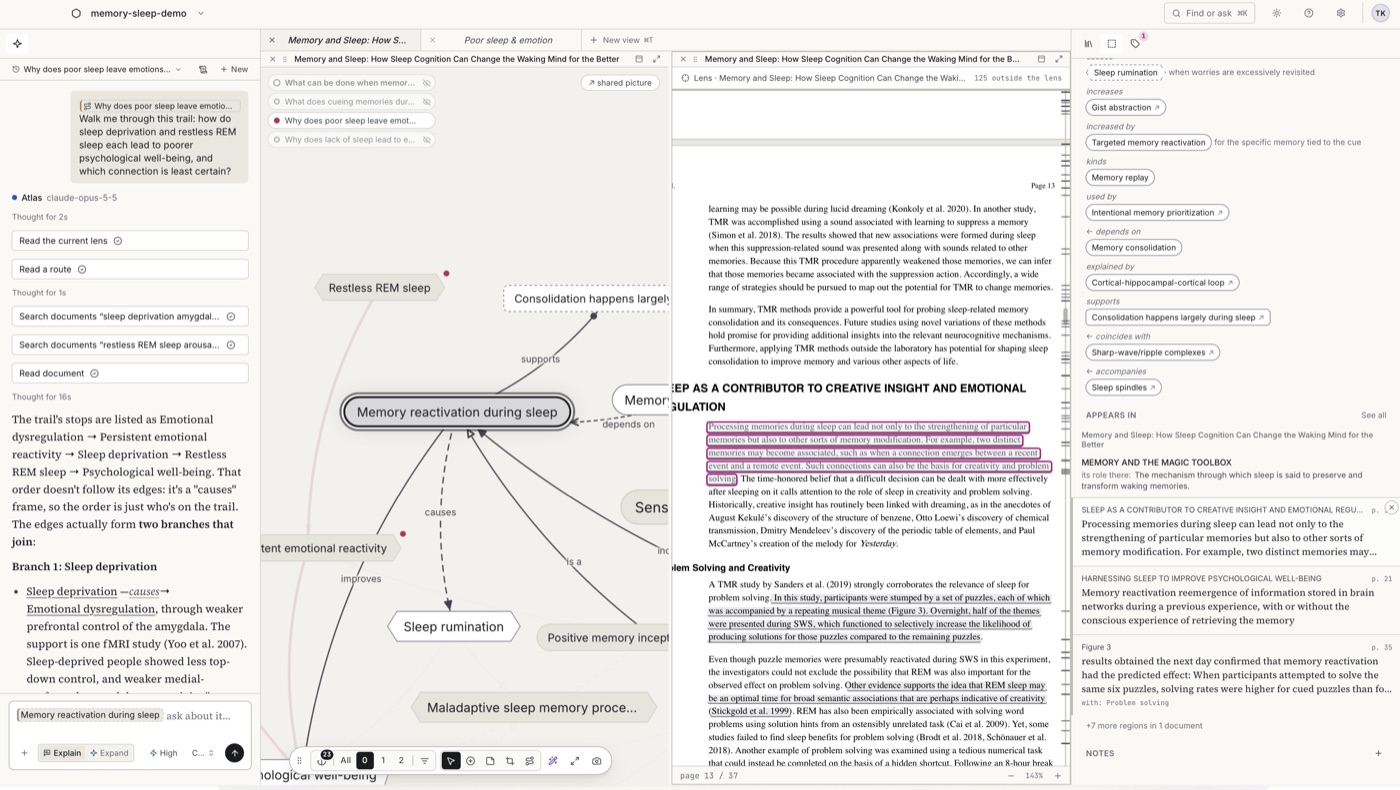
Ask from the context you selected
Ask from a concept, relationship, passage, focused view, or trail. Kepes answers from that exact context.


Take the model with you
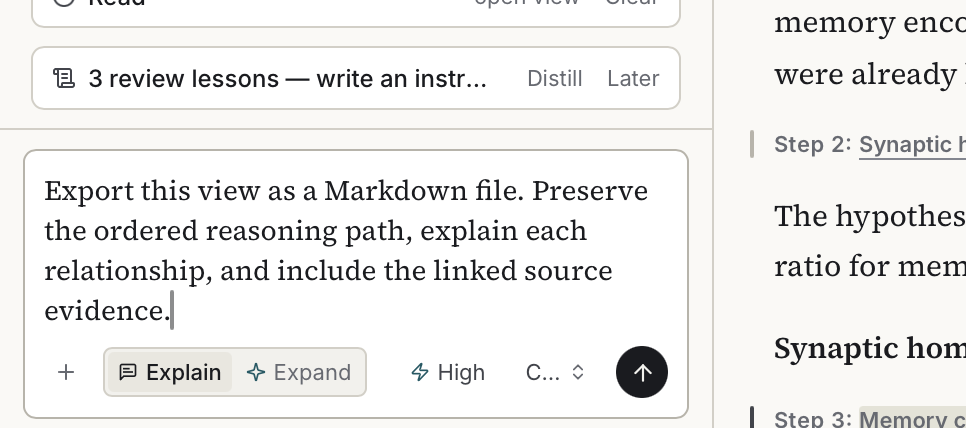
Export a trail or view as Markdown with its concepts, relationships, and source links intact.
Add new evidence to the same model
Import another source. Kepes shows what the new material supports, qualifies, contradicts, or adds.


Start with a question that matters to you
Some questions need a quick model. Others become months-long investigations. Kepes supports both because the same source-linked view can grow with the depth of the work.
Return to the question without reconstructing the context.
A Kepes workspace keeps the concepts, sources, notes, focused views, and reasoning trails that shaped your current understanding. When you return with a new question or source, you continue from the model you already built.